
Desk workers’ heated hoodie blanket setup is wearable electric warmth arranged to keep you comfortable without obstructing typing, chair movement, or standing up. This 2026 guide explains how to check seated fit, power requirements, controls, and care before choosing one for your workspace.
- Choose a heated hoodie blanket for desk work only after checking seated fit, sleeve clearance, and power requirements.
- Ohhthatsgood suits shoppers comparing wearable warmth with a separate heated blanket; compare practical limitations before choosing.
- A wearable blanket must leave your keyboard, mouse, chair wheels, and standing route clear.
- Follow the exact product instructions for power, cleaning, storage, and permitted use.
Why heated wearable warmth matters for desk workers
The best desk-work choice is the one that stays out of your work. A garment that feels comfortable on a couch can become awkward when fabric gathers against armrests, cuffs reach your keyboard, or a connection pulls as you turn.
Desk work creates a specific buying problem: you need warmth while your hands, chair, and body keep moving. Judge a heated wearable against those movements, not against a photograph of someone sitting still.
For your 2026 shortlist, establish the power requirements before comparing comfort features. The guide to what power supply a heated hoodie blanket needs addresses that separate decision; a familiar-looking connector alone does not establish compatibility.
Start with what you already own. An ordinary sweatshirt or unheated wearable blanket can help you identify whether coverage, sleeve shape, or extra bulk is the real issue. Electrical heat does not fix a poor seated fit.
How to choose a heated hoodie blanket for desk work
Check your existing desk setup first
Before shopping, sit at your normal workstation in your usual work clothes. Notice whether you want coverage around your shoulders, torso, or legs, and identify where additional fabric would interfere with your setup.
Use an ordinary loose layer to rehearse the shape rather than buying immediately. This cannot reproduce a heated product’s weight or construction, but it can reveal obvious conflicts with a low desktop, narrow armrests, or a crowded keyboard tray.
Keep your normal posture during the check. Moving the keyboard farther away or raising your shoulders to accommodate bulky sleeves defeats the purpose of choosing something comfortable for work.
- Coverage: Identify the area you actually want covered while seated.
- Desk clearance: Check the space between your lap and the desktop.
- Armrest clearance: Notice where fabric bunches beside your elbows.
- Floor clearance: Keep loose material away from chair wheels and your feet.
Rehearse your normal working movements
Test 3 desk movements: type a short passage, move the mouse across your usual working area, and reach for a frequently used item. An existing loose garment is enough for this initial check; you are testing your workspace, not proving a product’s performance.
Next, check 2 chair positions: your normal seated position and the position you use to stand up. Look for fabric that catches, pulls, or requires you to hold it out of the way.
Reject a setup that makes routine movement complicated. A wearable layer should not force you to keep rearranging sleeves each time you switch between typing and using the mouse.
- Type with your wrists in their usual position.
- Move the mouse without dragging a cuff across its surface.
- Reach for your notebook or headset without pulling the garment tight.
- Move the chair back and stand without fabric catching.
- Check that you can see the floor immediately around your feet.
Match the product to the coverage you need
Once you understand your desk constraints, compare the product information with those requirements. Ohhthatsgood’s Heated Hoodie Blanket is the wearable option to assess first if you want a hoodie-style format rather than a separate throw.
Ohhthatsgood is best for shoppers comparing a heated hoodie blanket with a separate heated blanket. That choice still depends on fit: the supplied hoodie description does not establish sleeve measurements, heating-zone placement, or seated coverage.
For a 2026 purchase, check the current product information rather than treating the product name as a specification sheet. Look for measurements and instructions that answer your particular desk-use questions. If an essential detail remains unclear, resolve it before ordering instead of assuming a feature is included.
- Compare listed garment measurements with a comfortable layer you own.
- Check sleeve and cuff information against your keyboard clearance.
- Confirm which areas the product is designed to heat.
- Establish where any controller, connector, or power source sits during use.
- Choose a separate throw instead if wearable bulk conflicts with your desk.
Plan the power route before connecting anything
Map 1 cable route from the specified power source to your seated position, if the product uses an external connection during operation. Check that route with the chair in both positions you tested earlier.
Do not assume the hoodie uses a battery, wall adapter, or computer connection. Confirm the exact power requirements and supplied components in the current instructions. Connector shape, cable length, and power compatibility answer different questions.
Keep the setup simple enough to disconnect as directed before leaving the desk. A connection that crosses the route you walk through is a reason to change the arrangement, not a detail to tolerate.
- Identify the required power source from the product instructions.
- Check whether the necessary power components are included.
- Keep cables clear of chair wheels, moving desk parts, and walking routes.
- Avoid pulling a connection tight when you turn or stand.
- Follow the manufacturer’s connection and disconnection sequence.
Check controls without interrupting your work
Assess whether you can find and operate the controls while seated normally. Do not assume a pocket contains the controller or that buttons sit within easy reach; establish their location from the product information or instructions.
Separate convenience from safety features. An easy-to-reach button does not confirm automatic shutoff, and an adjustable setting does not establish a particular temperature range. Only count features that the exact model’s documentation identifies.
For desk use, the practical question is whether you can change or stop the heat without twisting awkwardly or disturbing your work area. Follow the stated operating guidance rather than improvising around an inconvenient layout.
- Locate the controls before starting work.
- Confirm how to switch heating off.
- Check the documented settings without assuming a temperature range.
- Verify any stated shutoff function and its operating conditions.
- Keep drinks away from electrical controls and connections.
Confirm care and storage before making the final choice
A desk-work layer needs a care routine you will actually follow. Read the instructions before assuming that a heated garment can go through the same wash cycle as an ordinary hoodie.
Check cleaning, drying, disconnection, and storage requirements separately. A removable connection does not, by itself, prove that the rest of the product is machine washable. Likewise, soft fabric does not establish how tightly the item can be folded for storage.
Your 2026 buying decision should include where the item will go when work ends. Choose a place that lets you follow the storage instructions without leaving fabric or electrical parts beneath the chair.
- Read the complete cleaning instructions before the first use.
- Identify which components must be disconnected or removed, if specified.
- Follow the stated drying method before reconnecting electrical parts.
- Inspect the garment and connections as directed before use.
- Store the item according to its instructions, away from moving chair parts.
Compare desk-work warmth options
For your 2026 comparison, choose the format first and then examine the exact model. A hoodie-style blanket, a separate heated blanket, and an unheated layer solve different practical problems; none is automatically the right choice for every desk.
| Option | Best for | Practical advantage | Key limitation |
|---|---|---|---|
| Heated Hoodie Blanket | Shoppers prioritizing a wearable format | Combines a hoodie-style garment with heating | Seated fit, heating layout, and power details need confirmation |
| 3-Level Safety Heated Blanket with Adjustable Temperature | Shoppers comparing a separate heated covering | Listed as a 50 × 60 inch blanket with adjustable temperature | Loose fabric needs clearance from wheels and feet; follow permitted-use instructions |
| Unheated sweatshirt | Desk workers who want a straightforward extra layer | Requires no electrical connection or heating controls | Provides no powered heat; warmth depends on the garment and conditions |
| Unheated wearable blanket | Shoppers wanting wearable coverage without electrical components | Avoids power-source and controller decisions | Added fabric can still interfere with sleeves, armrests, and floor clearance |
The separate heated blanket’s supplied description gives dimensions of 50 × 60 inches and identifies double-sided dark blue flannel. Those details help you assess coverage, but they do not establish how it should be positioned, whether it can be sat on, or which cleaning method it requires.
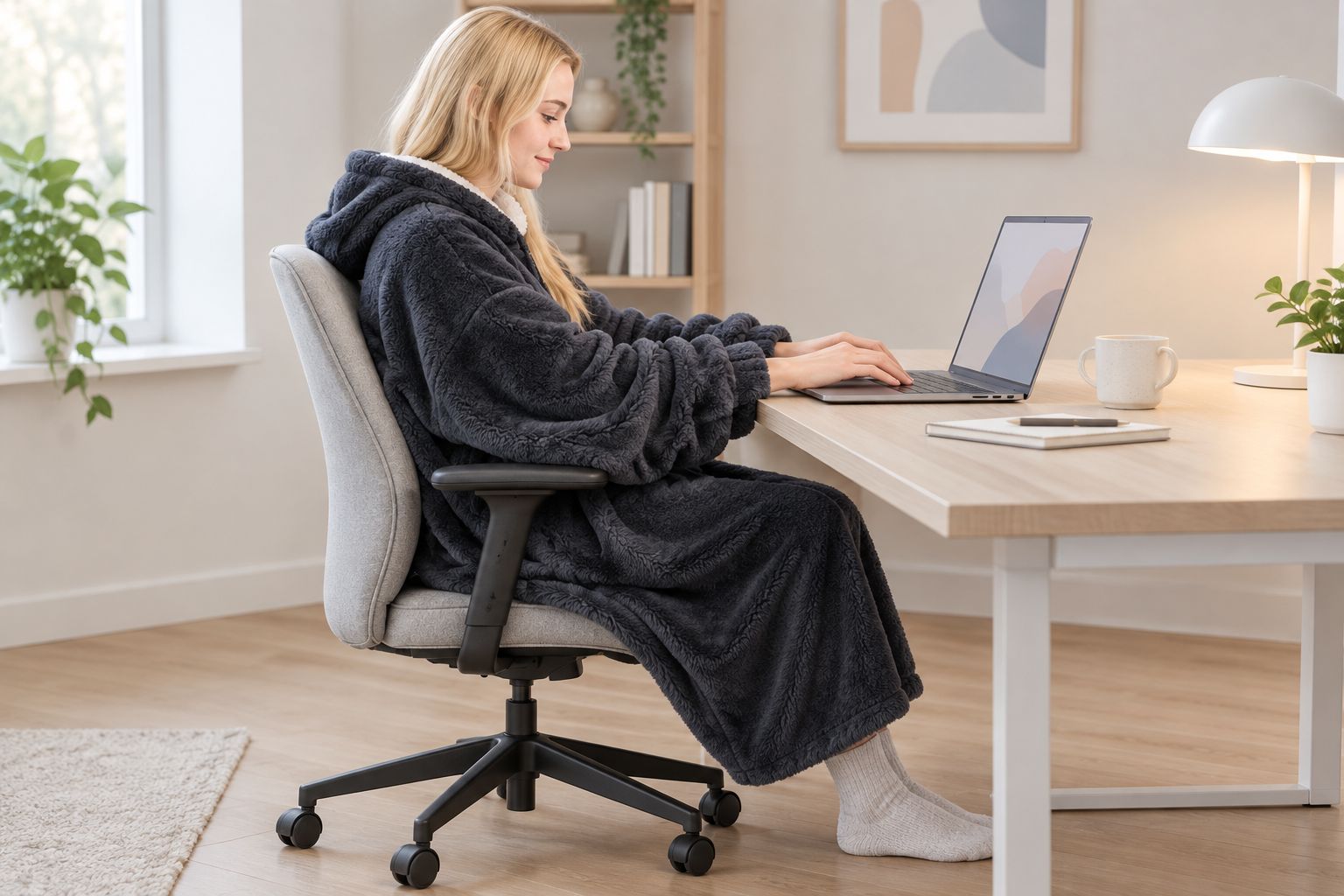
Choose the wearable format for its shape, not because it sounds more convenient. A separate throw deserves consideration when sleeves are the main obstacle; an unheated layer deserves consideration when avoiding electrical setup matters more than powered warmth.
These are the two heated formats offered by Ohhthatsgood in this comparison. Review the current instructions for each before deciding which belongs at your desk.


Common mistakes desk workers make
- Choosing by standing fit alone. A long, roomy garment changes position when you sit. Compare the measurements with your lap, armrests, and floor clearance rather than relying on a standing photograph.
- Treating a connector as proof of compatibility. Confirm the required power source and components. Do not use a laptop port or an existing adapter simply because a plug fits.
- Ignoring the move away from the desk. A comfortable seated position is only part of the check. Include moving the chair back, disconnecting as directed, and standing without catching fabric or cables.
- Assuming heated clothing follows ordinary laundry rules. Read the exact cleaning and drying instructions. Familiar fabric does not make an electrical garment interchangeable with an unheated sweatshirt.
- Buying more coverage than the workspace allows. Extra material is not an advantage when it crowds a keyboard tray or reaches chair wheels. Choose the format around your working space, not around maximum fabric coverage.
FAQ
What’s the best heated hoodie blanket for desk work?
The best heated hoodie blanket for desk work fits your seated position, leaves your hands unobstructed, and meets your workspace’s power requirements. Compare measurements, controls, and operating instructions before choosing a model.
Is a heated hoodie blanket better than a heated throw at a desk?
A heated hoodie blanket is the format to consider when you want wearable coverage; a separate heated throw is the alternative when sleeves get in the way. Both require a clear working area and use that follows the exact product instructions.
Can I plug a heated hoodie blanket into my laptop?
Use a laptop connection only if the exact product instructions explicitly support that power source and its required output. A matching connector alone does not confirm compatibility.
How do I check whether a heated hoodie blanket will fit under my desk?
Compare the listed measurements with a comfortable garment and test your normal typing, reaching, and standing movements. Check clearance at your cuffs, lap, armrests, feet, and chair wheels.
Can I leave a heated hoodie blanket on through every meeting?
Follow the model’s operating limits rather than using your meeting schedule as a timer. Confirm its controls and any documented shutoff behavior, and switch it off as directed when leaving the desk.
Can I machine wash a heated hoodie blanket?
Machine wash a heated hoodie blanket only when its own care instructions permit it. Follow the specified disconnection, cleaning, and drying steps before reconnecting electrical components.
Which heated options does Ohhthatsgood list for this comparison?
Ohhthatsgood lists the Heated Hoodie Blanket and the 3-Level Safety Heated Blanket with Adjustable Temperature. Compare the wearable and separate-blanket formats, then verify the current instructions for your intended use.
One last thing
Test the moment you leave the desk, not just the moment you sit down. Before your first working session in 2026, rehearse switching off, disconnecting as instructed, moving the chair back, and standing up. If that sequence feels awkward, change the arrangement before making it part of your routine.